XRay Viewer

Mac, macOS 14 or later · public beta
See the real layers of a running Mac app or iOS Simulator app, pulled apart in depth, with every property of each layer.
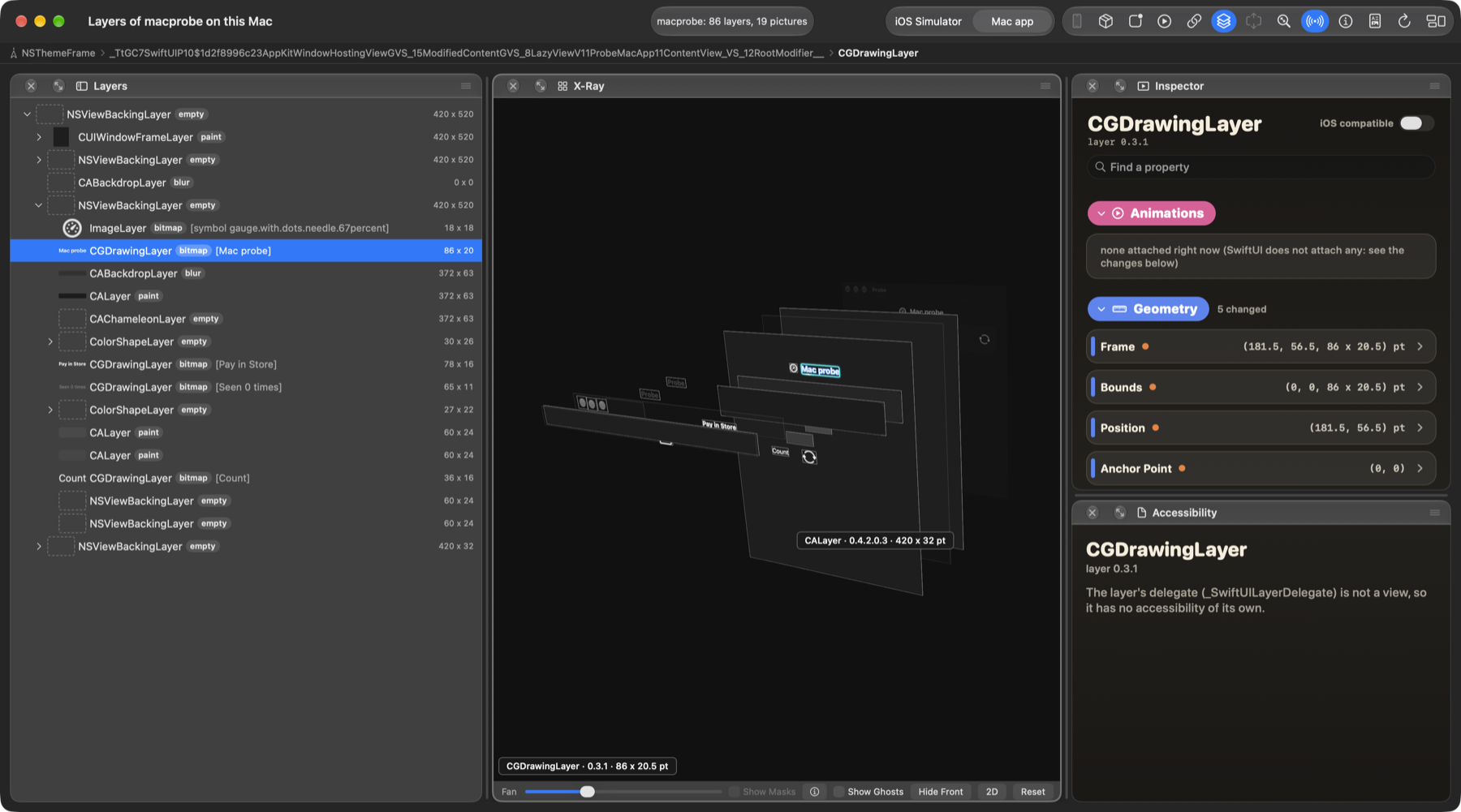
SwiftUI draws one screen as many Core Animation layers. XRay Viewer shows you which: every layer with its class, size, picture and properties, in a list and in a 3D X-Ray you can turn, zoom and fan out. Pick a layer and read what it is, change what you may change, and watch what the app does to it.
What it does
The X-Ray. The layers of the running app pulled apart in depth. Turn it, zoom it, fan the layers out, flatten it to 2D, hide the front layers to see behind them, and group layers by the place they come from. Layers that paint nothing can be shown or hidden with Show Ghosts.
Show Masks. When the app being read supplies the pictures of its masked layers, a Show Masks checkbox appears and draws each layer as its mask cuts it. When the app does not supply them, the checkbox is not there.
The layer list. Every layer with its picture, its class, its size, and the text or SF Symbol it shows, read from the layer.
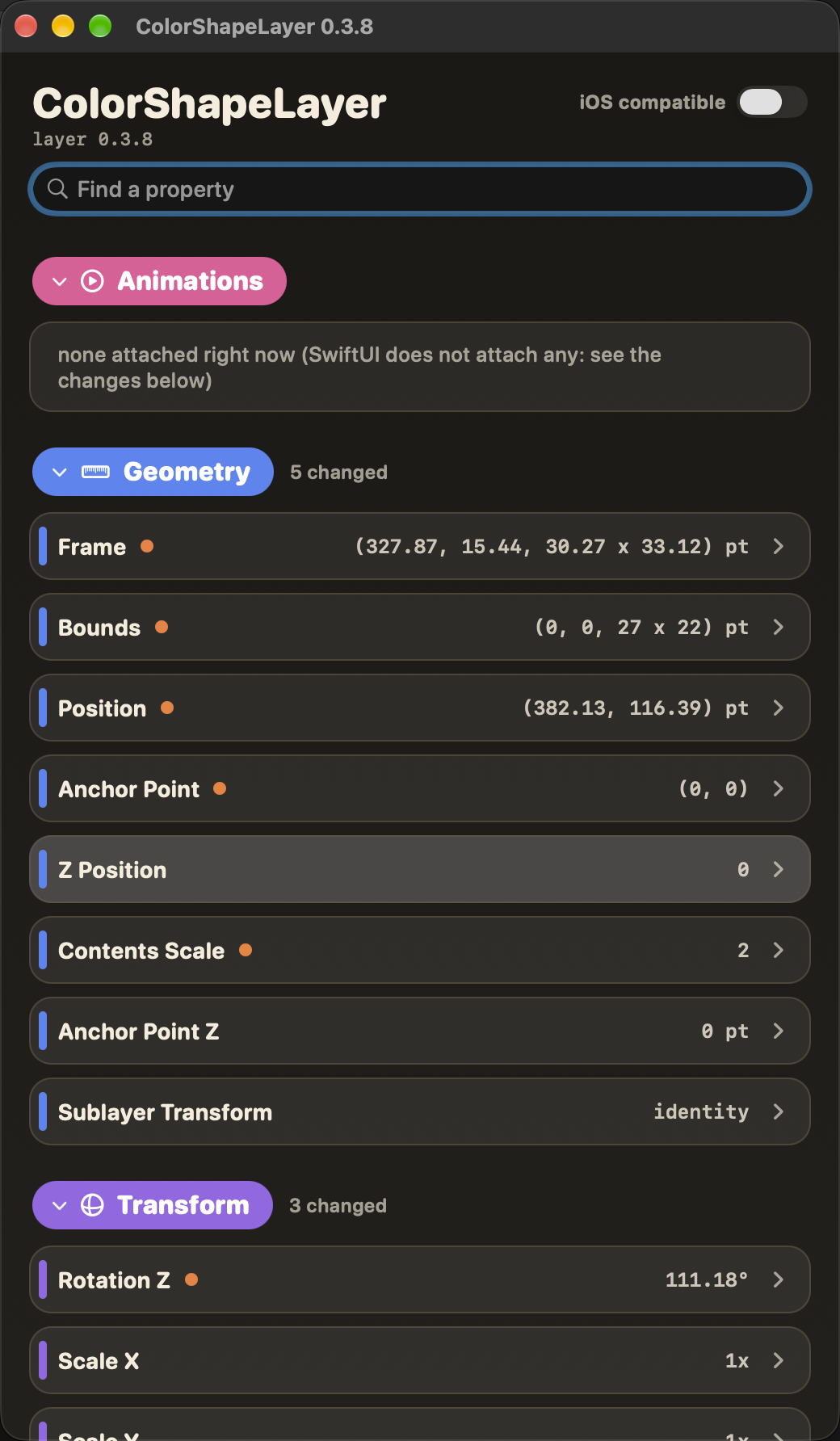
The inspector. The “i” window is a book of every property of a layer with its live value: search, collapsible chapters, and a lesson page with a small working toy for the properties that are hard to picture. It follows the changes the app makes to itself while you look.
Animations. The animations running on a layer, for UIKit, AppKit and Core Animation code, including animations added without a key.
Editing. You can change the public properties of a layer in the running app and put each one back with Reset.
Reports. Export the X-Ray as a PDF, keep the log, read the help book, and send a report from the app.
Updates. The app updates itself with Sparkle.
Private properties are read-only
Private and runtime properties are shown, and they are read-only. A setting in the Inspect menu, Allow Editing Private Properties, turns writing on. It asks first, because writing a private property can crash the app you are inspecting. The agent inside the inspected app refuses a private write unless the request says it was allowed, so the lock does not rest on the viewer alone.
What it does not do yet
A device. It reads a Mac app or an app in the iOS Simulator. An iPhone or iPad is not supported.
SwiftUI’s own animations. Animations that SwiftUI runs from
withAnimationare not shown. Animations written in UIKit, AppKit or Core Animation are.Two apps at once. It reads one app at a time.
Sandboxed apps. An app with the App Sandbox cannot be read.
Other languages. The app and its help are in English.
Writing private properties by default. See above.
SwiftUI accessibility elements. It does not yet match a SwiftUI accessibility element to its layer.
Layer Playground. The
.layerplayfile, the iOS toys and the Layer Playground app are not part of this release.
What you need
A Mac with macOS 14 or later.
A Mac app, or an app in the iOS Simulator, that you may inspect. XRay Viewer attaches to apps you run on your own Mac.
Download
The download is not published yet. When it is, this page gives the link, the version and build, and the SHA-256 of the file, so you can check what you downloaded.
Follow along
The newsletter and the blog say when something ships. To write to me, see About.
All apps ←