OneGraph
Mac, iPad · coming soon
Paste a SwiftUI view, change an input, and see which parts of its graph ran again and why, then the real layers SwiftUI made from it.
It goes with my talk “SwiftUI Is One Graph”: the view on screen, the graph animating, and the explanation, in one window.
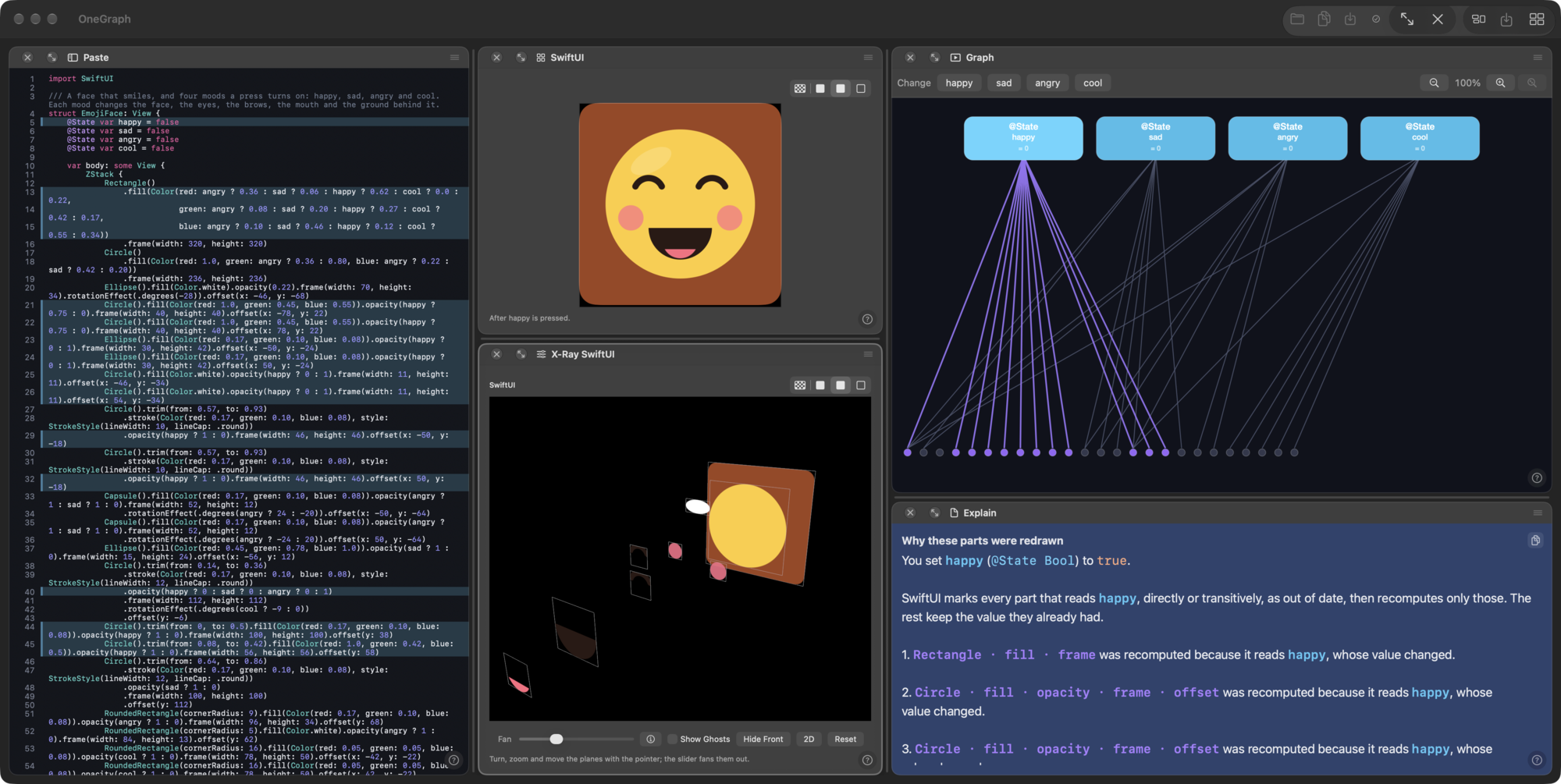
The sample it opens with is a face that smiles. Four switches turn it happy, sad, angry or cool. Press one and OneGraph shows what changed.

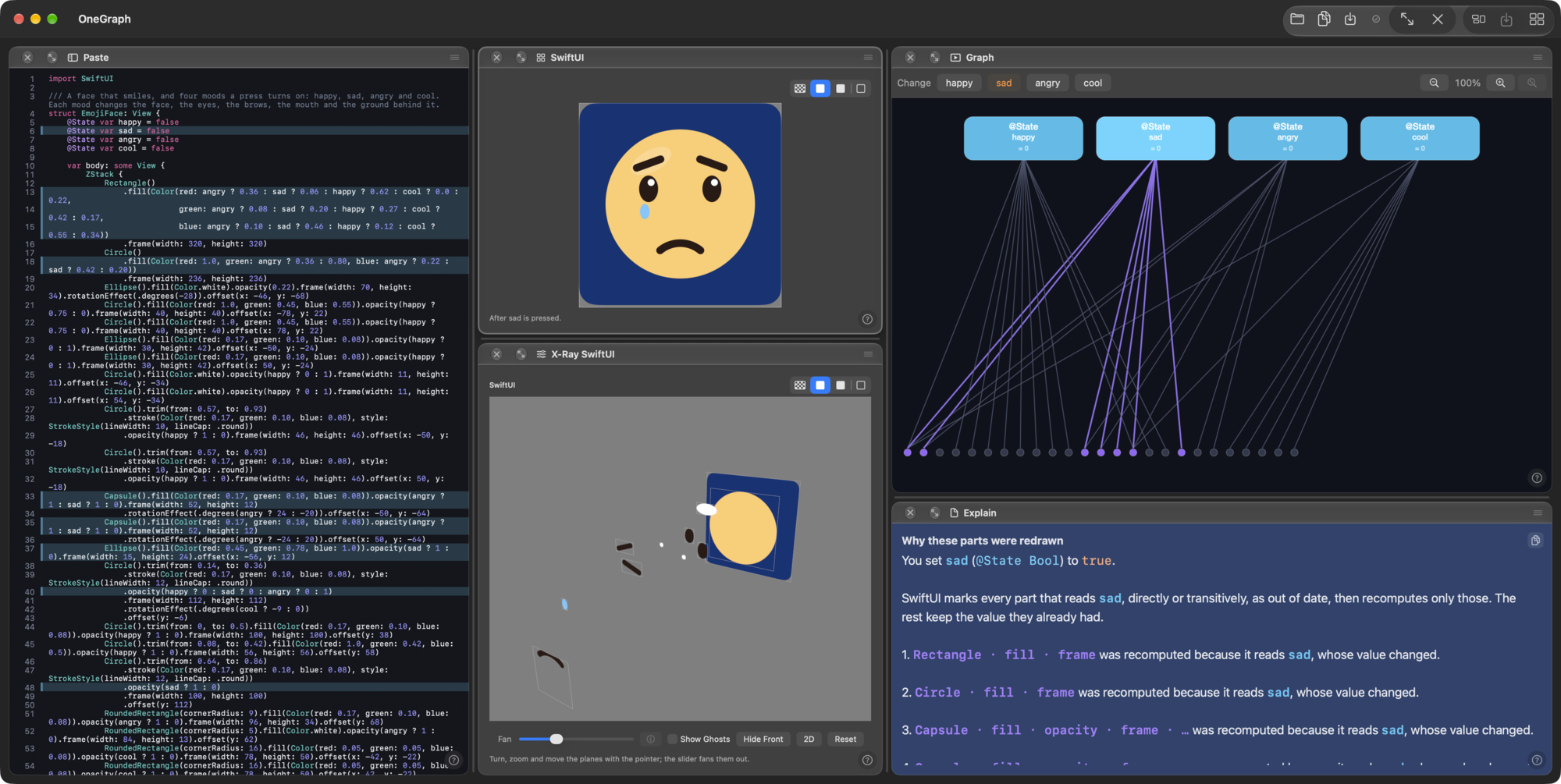
What you see
The source. Lines that read the value you changed are lit.
The picture. SwiftUI’s own picture of the view, and the layers it is made of, pulled apart in depth so you can turn them.
The graph. The values and the parts that read them. Press a value and the lines from it light up.
The explanation. In words, which parts were recomputed and why, and which were reused unchanged.
Platforms
The Mac comes first, as a beta. An iPad version is planned, and an iPhone version will be tried after it. Until one of them is released there is nothing to download.
Coming soon
This page will say what OneGraph needs and how to get it when the beta is out.
Follow along
The newsletter and the blog say when something ships. To write to me, see About.
All apps ←